Practical business website guidance · Updated 1 November 2026
A specialist website that explains the problem before the enquiry
Inspect SenderShield’s service explanation, domain-checking journey and enquiry routes. A website example with custom functions scoped separately.
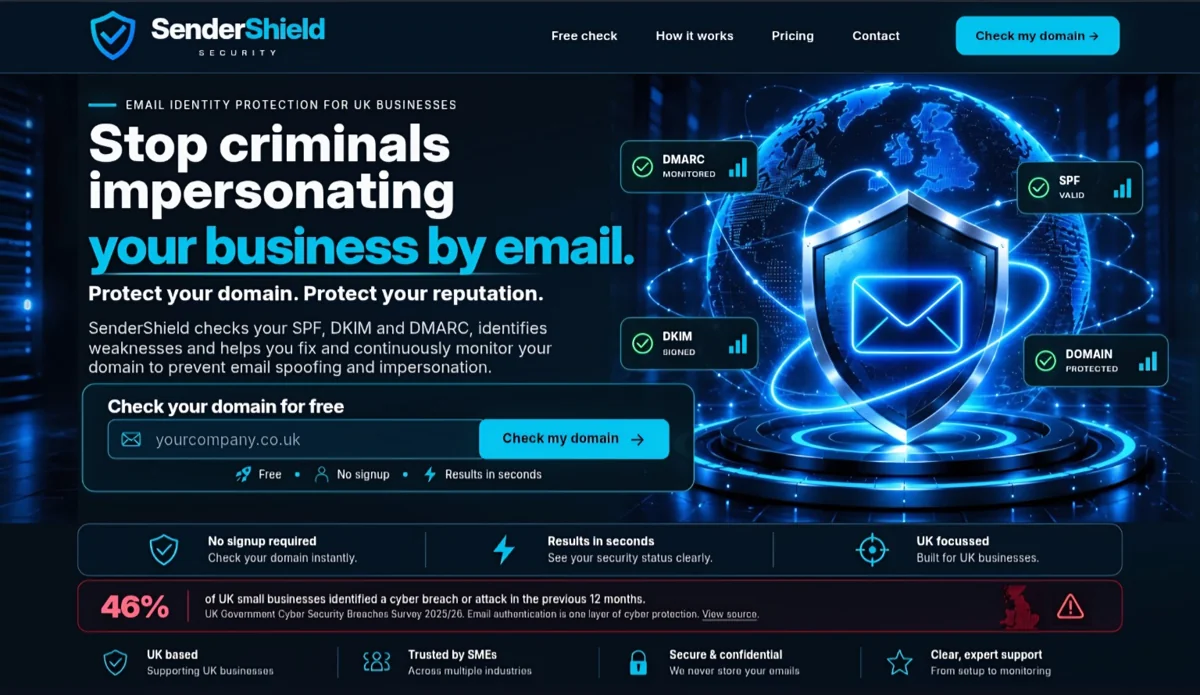
SenderShield is an email-domain protection website example. The example concerns how an unfamiliar service can be explained and how a practical tool can support a useful next step.
Explain the problem in business language
A visitor may arrive without knowing the terms used for email-domain protection. The website needs to explain what the service concerns, who it can help and where a closer assessment is needed. A technical acronym list alone is not enough to support a buying decision.
The design lesson is to start with the customer’s question and then introduce the detail required to understand it. Another specialist service will need its own explanation, evidence and scope rather than copied security claims.
Offer a practical route to investigate
The public site includes a domain-checking tool as a starting point before a service enquiry. The tool gives the visitor a task related to the subject rather than requiring them to choose paid support immediately.
A checker must explain what it has actually observed and what remains unverified. Domain-record observations do not establish inbox delivery or complete business security. An interactive result should not be presented as a guarantee or an exhaustive assessment.
Keep custom functions separate from standard pages
A scanner or integration needs a different scope from ordinary content. It may involve providers, request limits, input validation, data handling, error states and ongoing maintenance. Those decisions belong in the project plan and price.
Gold Oak’s standard content-page allowance does not automatically include a tool equivalent to this example. A customer brief should describe the intended action and the evidence it must return before feasibility and implementation are agreed.
Connect the explanation to an enquiry
A useful next step lets the visitor discuss the findings and the actual service needed. The contact journey should preserve the distinction between an automated observation and personal advice. It should also state what information is needed and how it is used.
Open the current SenderShield website to inspect the public service explanation and tool entry point. This project note does not submit a scan or assert that every live function has been tested in this content review.
What you can take from the example
Explain the unfamiliar subject, make the first action useful, label the limits and agree a clear route to paid work. That structure can help a specialist business make its offer easier to understand. It does not establish a particular enquiry or revenue result.
Explore small-business website design, the brief checklist and the project examples. Bespoke automation and interactive tools are assessed and quoted separately.